Will Your Cursor Usage Hit
Zero Tokens Before Renewal?
you hit zero.
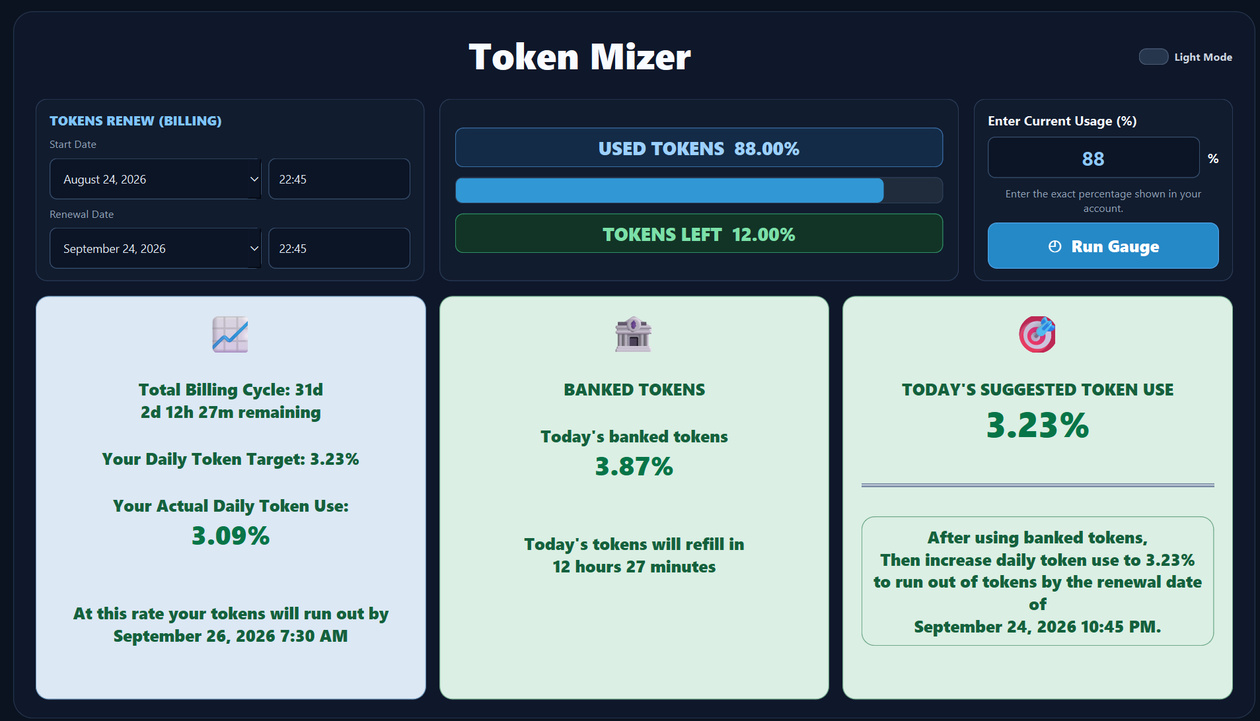
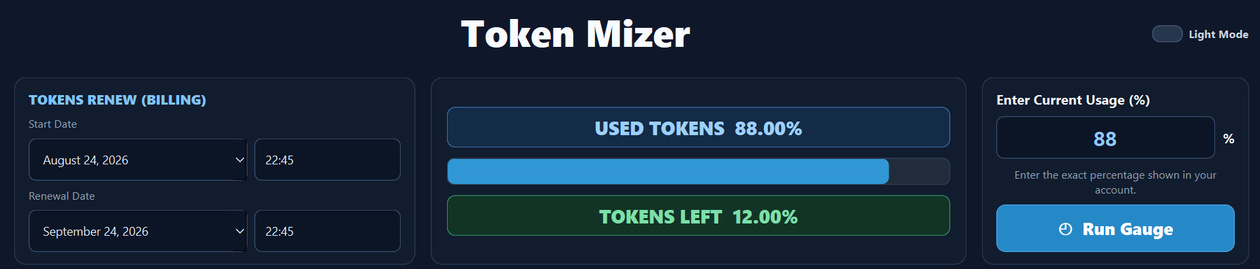
Cursor Token Mizer is a Cursor usage tracker that shows how much usage you have left, how much you can safely use today, and whether your current Cursor token usage can last until renewal.
Are You Burning Through Your Cursor Usage Too Fast?
Find out before you hit zero.
You know the feeling.
You're deep into a project. Cursor is flying. You're vibe-coding, building, fixing, testing—and getting more done in a few hours than you used to get done in days.
Everything is going great.
Then you check your usage.
40% used. No problem.
Later...
63% used. Still okay.
Then...
79% used.
Now the questions start.
And eventually, you see the number every heavy Cursor user hates:
That's exactly what happened to me.
The $60 Lesson That Started It All
I never meant to build Cursor Token Mizer.
I was using Cursor every day, often for hours at a time. It was doing exactly what I wanted it to do: help me build software faster and get more done.
But there was a problem.
Cursor usage has limits.
About three months into using Cursor, I burned through my included usage with roughly five days left before renewal.
I wasn't about to stop working for five days.
So I allowed another $10 in additional usage.
That should get me through, I thought.
It didn't even get me through the day.
So I added another $10.
This time I'd be careful. I'd slow down. I'd become Token Wise—I'd become a "Token Mizer."
That lasted about a day.
The next $10 disappeared too.
So I kept buying more "On Demand" tokens just to keep going. By the time renewal day finally arrived, I'd spent $60 in additional Cursor token usage—the equivalent of paying for three extra renewals before my actual renewal even began.
That got my attention.
Unfortunately, apparently not enough.
It happened again later.
Another $10.
Then another time, $20.
Eventually I realized something important.
I had a usage-management problem.
I Had No Idea How Much Cursor Usage I Could Safely Use
The problem wasn't that I couldn't see how much Cursor usage I had used.
The problem was that the percentage alone didn't tell me what I really needed to know.
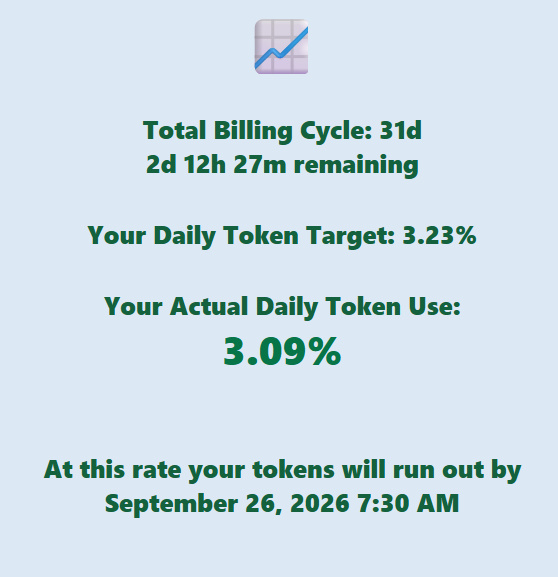
Was I using my Cursor tokens too fast?
How much could I safely use today?
How many days were left until renewal?
And at my current pace, would my usage actually last?
Those were the numbers I needed.
So instead of staring at a percentage and guessing, I wanted something that could compare my actual Cursor usage against the time remaining in my billing cycle.
Use Less Today. Have More Available Tomorrow.
Some days I use Cursor heavily.
Other days I barely touch it.
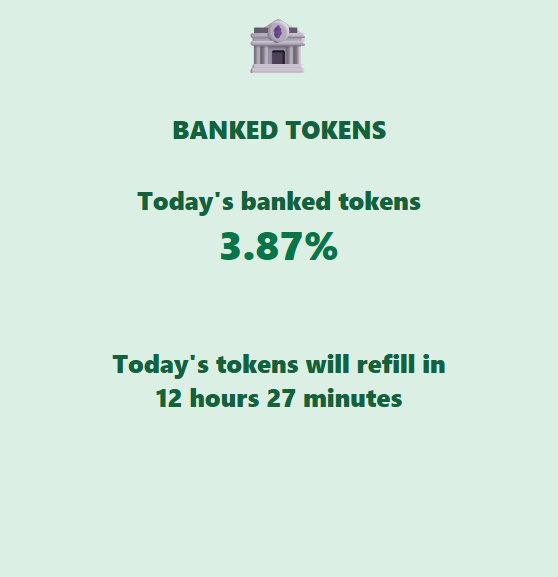
That created another problem: if I used less than my daily target today, how much extra usage did that give me later?
I didn't want unused usage to disappear into another calculation I had to keep doing in my head.
So Cursor Token Mizer keeps track of it for me.
When I use less than my daily target, the unused amount is banked.
That means I can immediately see how much usage I've saved and have available for heavier Cursor days later in the billing cycle.
Stop Guessing. Know How Much Cursor Usage You Can Safely Use Today.
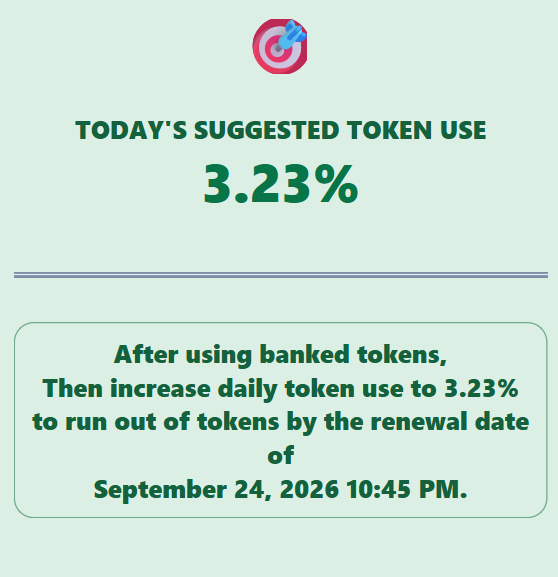
This was the number I really wanted from the beginning.
How much Cursor usage can I safely use today?
Cursor Token Mizer takes the usage I have left, the time remaining before renewal, and my banked tokens and turns them into one simple number:
Today's Suggested Token Use.
If I've been using too much, it tells me how much I need to decrease my daily usage.
If I've banked extra tokens, it tells me how much I can increase my usage and still stay on track.
No spreadsheets. No mental math. No wondering whether today's heavy Cursor session is going to leave me staring at 0% before renewal.
Stop Wondering Where Your Cursor Usage Is Going
These were the questions I kept asking myself:
- How much Cursor usage do I really have left?
- How much can I safely use today?
- Am I using it too fast?
- Am I paying for more usage than I actually need?
- Will my usage last until renewal?
- At this pace, when am I going to hit zero?
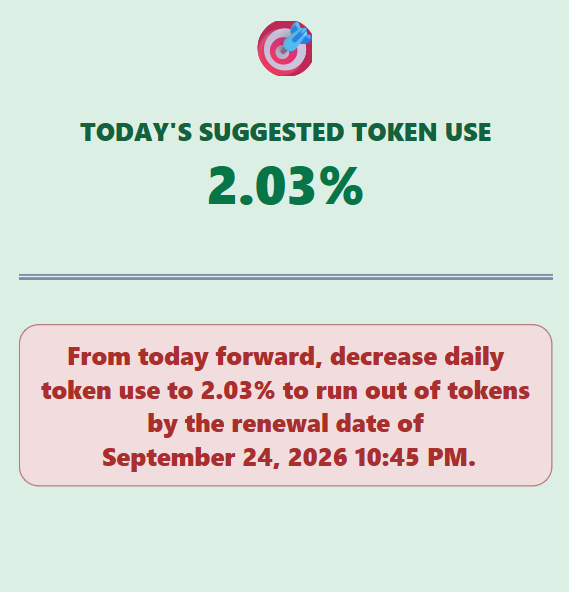
Cursor Token Mizer was built to answer those questions before they become a problem.
I don't need to ration Cursor blindly. And I don't need to wait until my usage is almost gone before wondering whether I should slow down.
I can see the pace I'm using it, the time I have left, what I've banked, and what I can safely use today.
Cursor Token Mizer doesn't give me more Cursor usage.
It gives me something I didn't have before:
A way to manage the usage I already paid for.